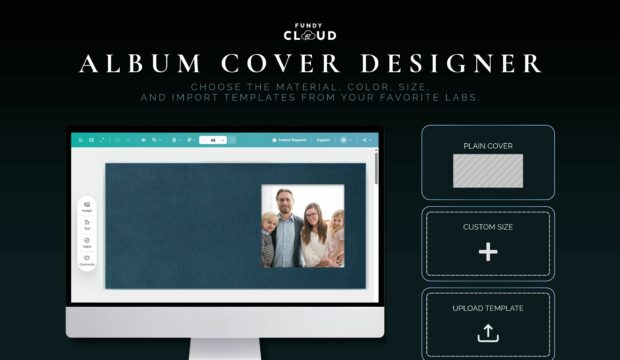
The cover is the first thing your client touches, and now it’s one of the easiest parts of the album to design. Fundy Designer gives you cover tools in both the desktop app and Fundy Designer Cloud, so you can show clients exactly how their album could look in leather, linen or your lab’s own materials, wherever you design.
Select a button to see more about designing in the desktop or cloud, or download your lab’s swatches.
Designing covers in Fundy Cloud
In Fundy Designer Cloud, the cover lives right at the top of your album, above the first spread. You design it the same way you design any page, then preview it in real materials so your client can see the finished look before they order.
Fundy Designer Cloud is found at app.fundy.com.
Add a cover and make it yours
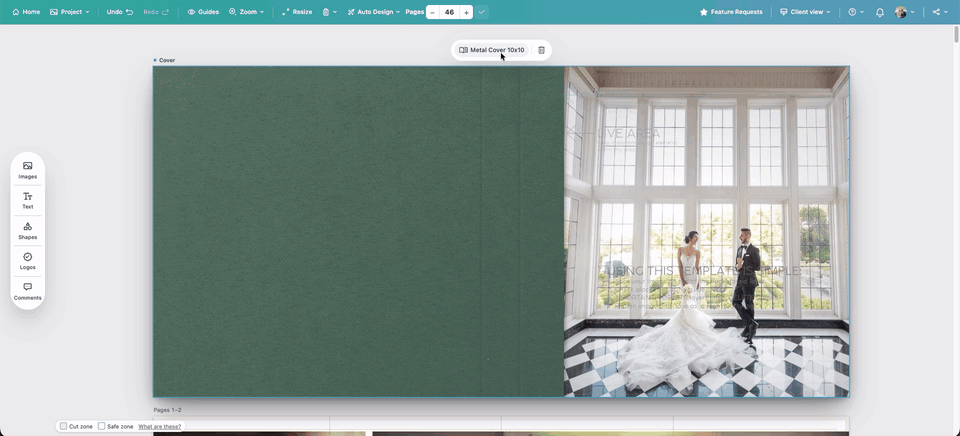
Adding a cover in Cloud takes one click. Select Add Cover above your first spread and pick the cover you’re selling. The covers you see depend on your lab. Then drag a photo from your project onto the front and crop it into place, just like a spread. Guides on the cover show you where it will be trimmed, so faces and details stay safe.
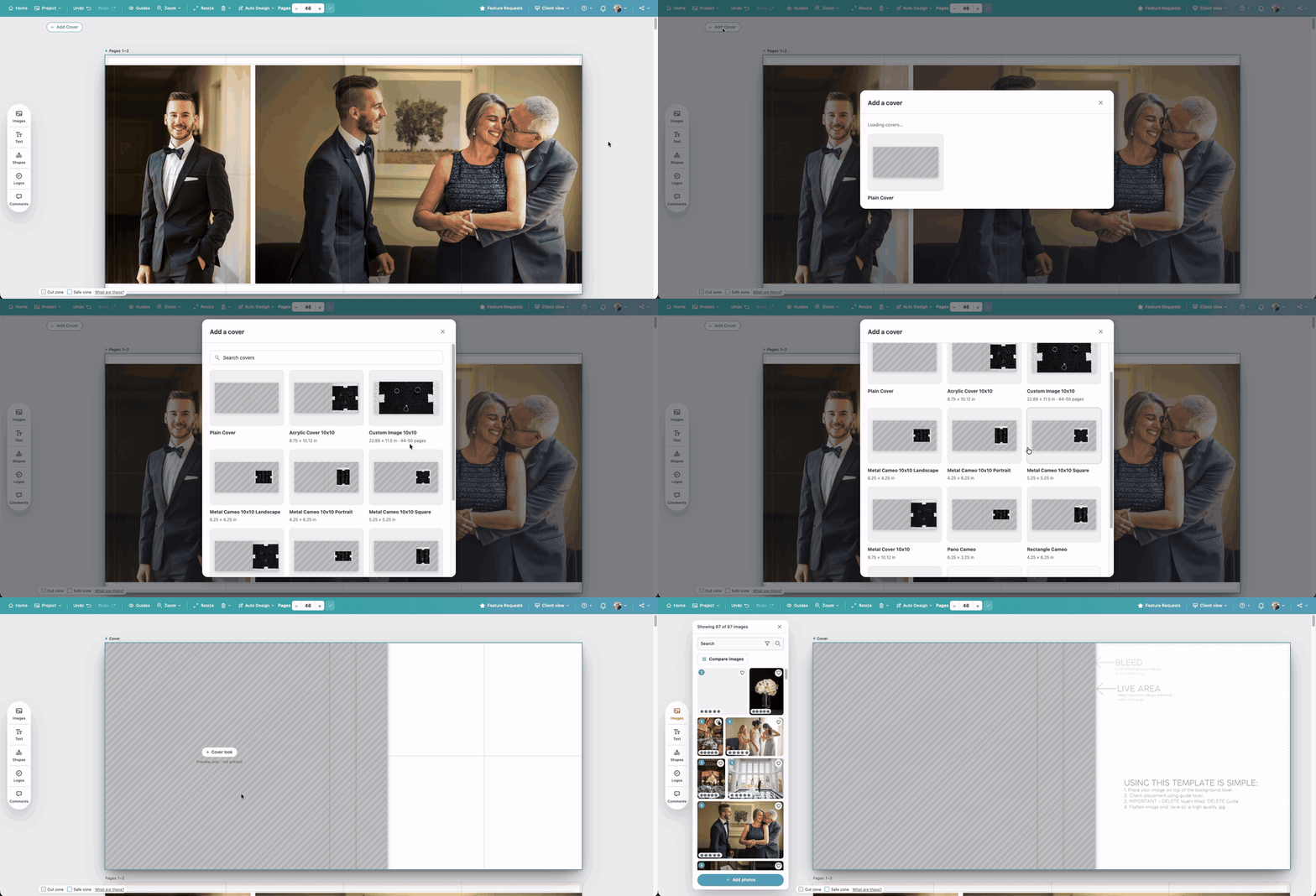
Preview the cover in leather, linen and more
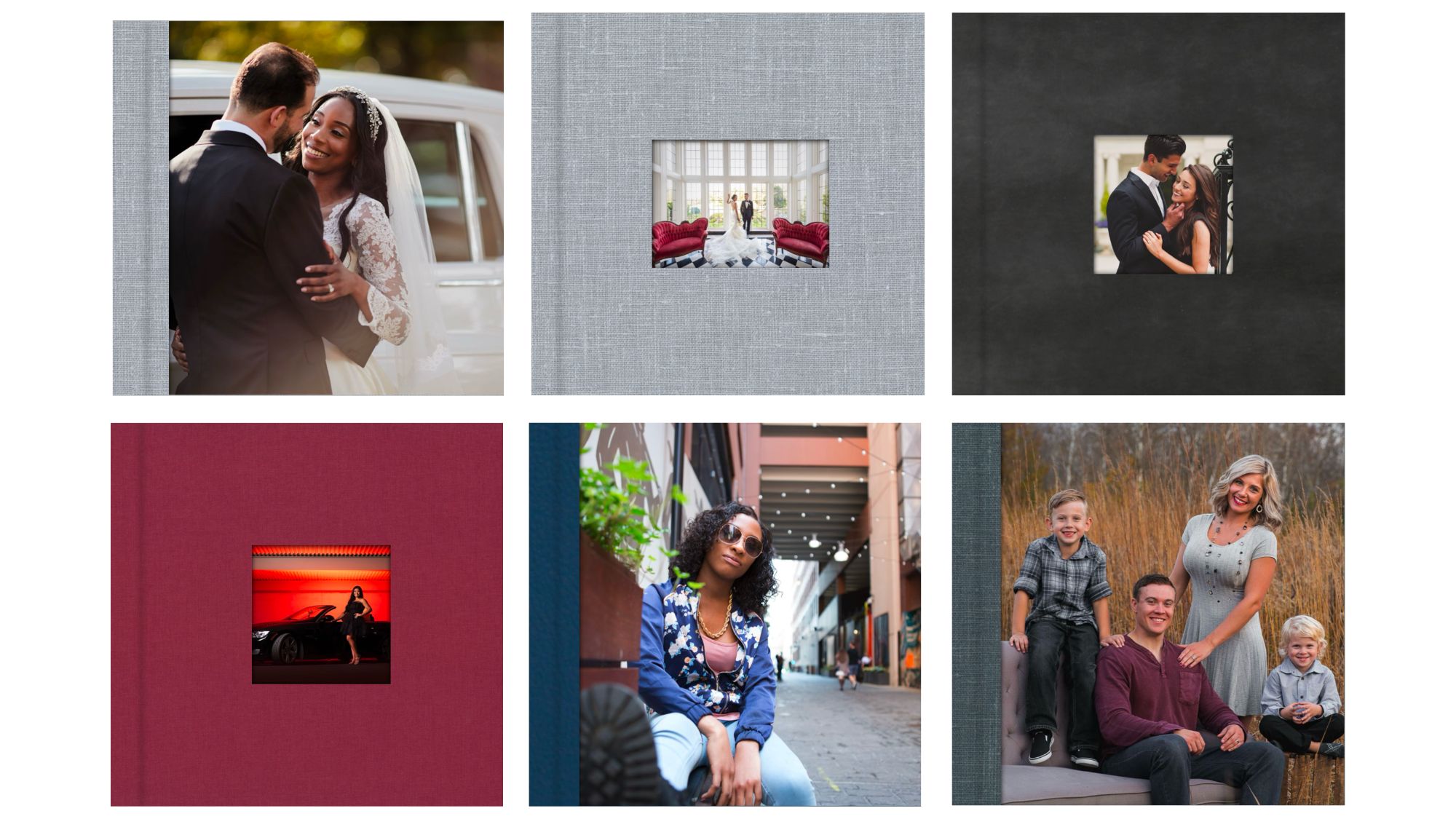
Select Cover look to see your cover in a real material. Choose from Leather, Linen, Velvet, Suede and Silk, each in eight colors, and the preview updates instantly. Want a tone that’s not on the list? Pick a custom color, or use the eyedropper to sample a color straight from the cover photo, like the stone of the venue or the color of the dress.
A cover look is a preview for you and your client. It isn’t printed or sent to the lab.
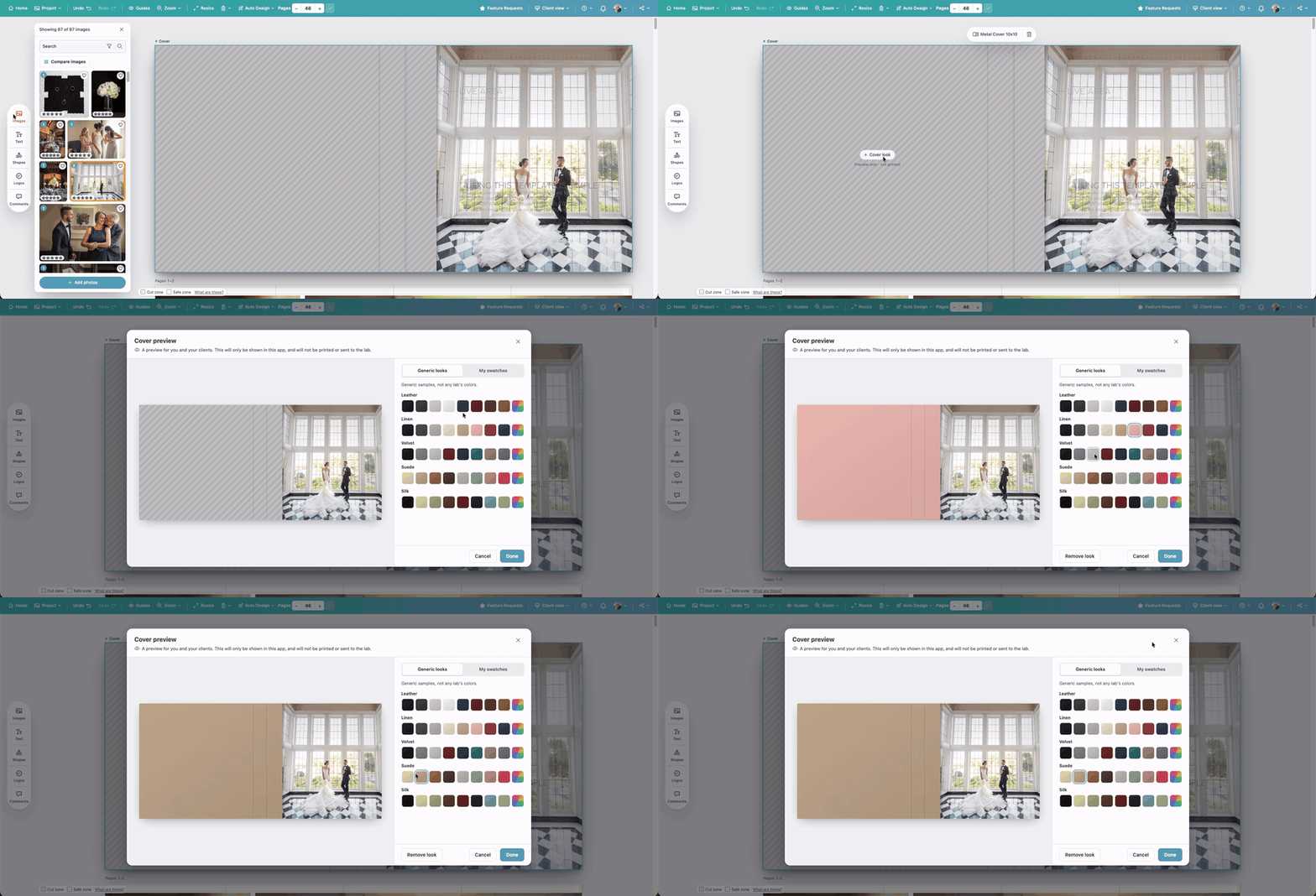
Show clients your lab’s real materials
The generic looks are a great start, but nothing sells a cover like the real thing. On the My swatches tab, upload photos of the materials your lab offers and file each one under its lab and material type. Filter by lab or material to find the right one, then apply it to the cover in a click. Your client sees the exact material they’re ordering.
Don’t have swatch photos yet? Select Download swatch files to find the album companies that offer ready-to-download swatches, listed earlier in this post.
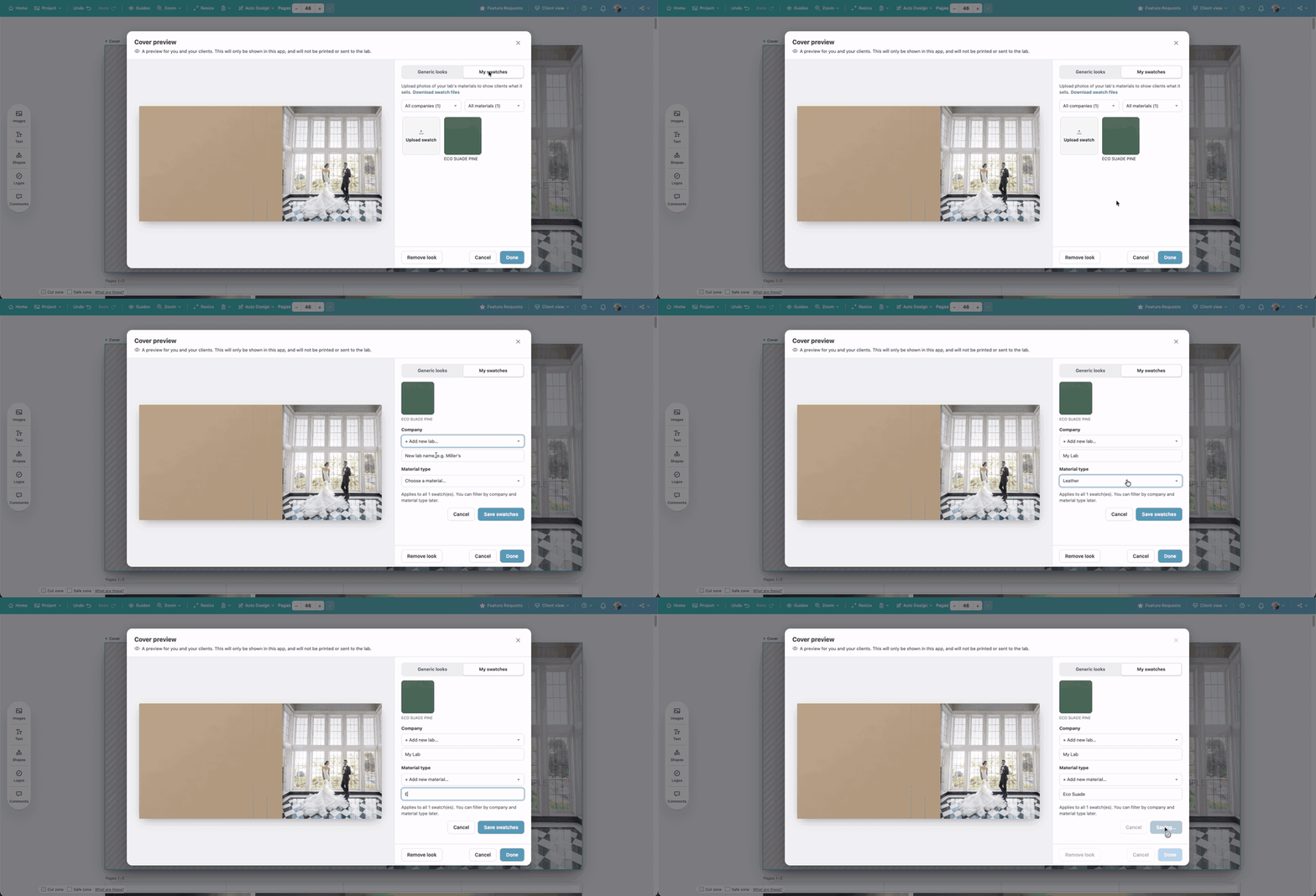
Match your lab’s cover exactly
If your lab’s cover isn’t in the list, you have two options. Set a custom size in inches, or upload your lab’s own cover template (JPEG, PNG or PSD) and design straight onto its layout, including full wraparound covers. Changed your mind about a cover? Switch to another one at any time, and your photo and cover look come with you.
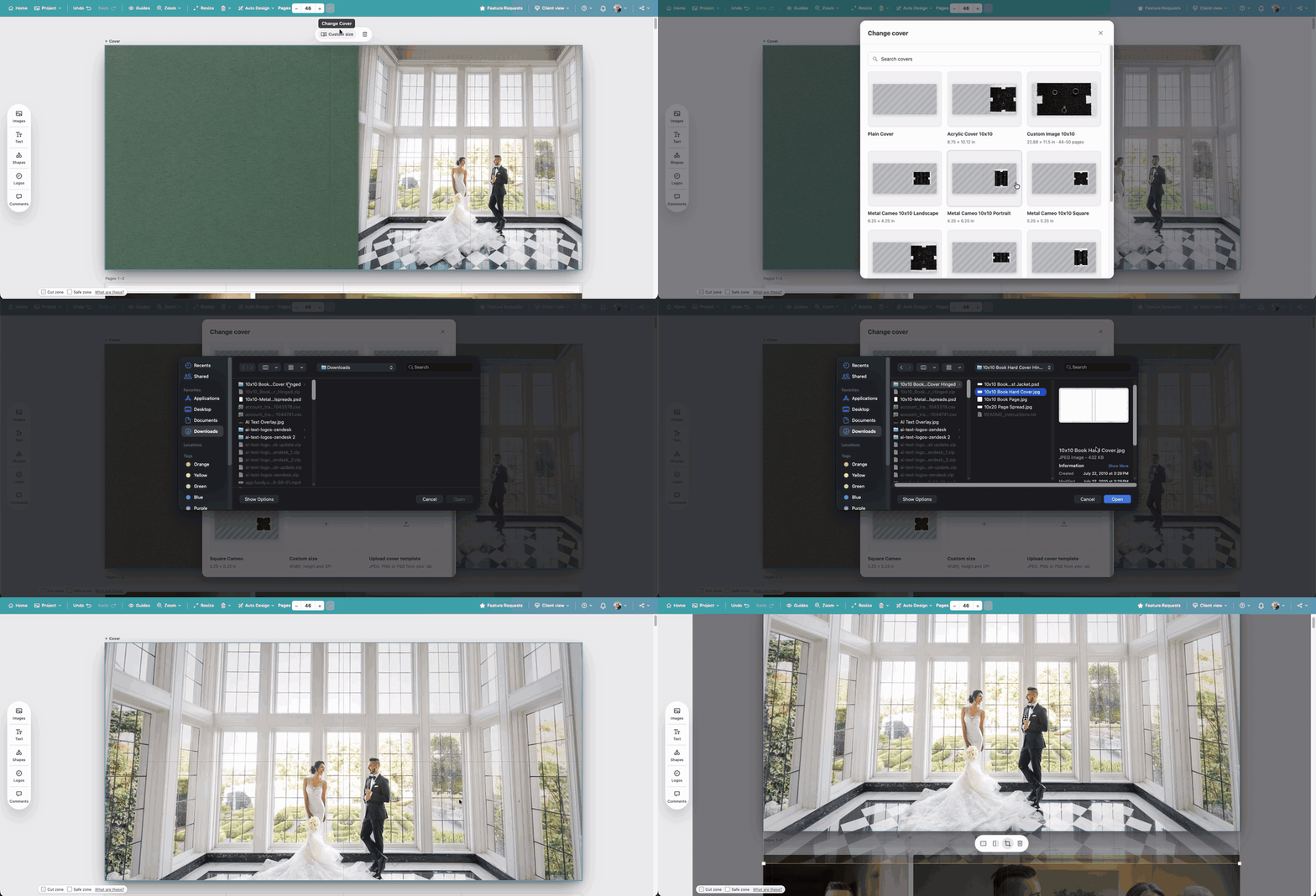
Designing covers in the desktop app
The Cover Material Designer gives every auto-designed album a ready-made cover, so you have a complete starting point the moment you begin a project.
Start With an Auto-Designed Cover
Run Design For Me and Fundy Designer builds a full cover layout alongside your album pages. There’s no setup, so you can start customizing right away.
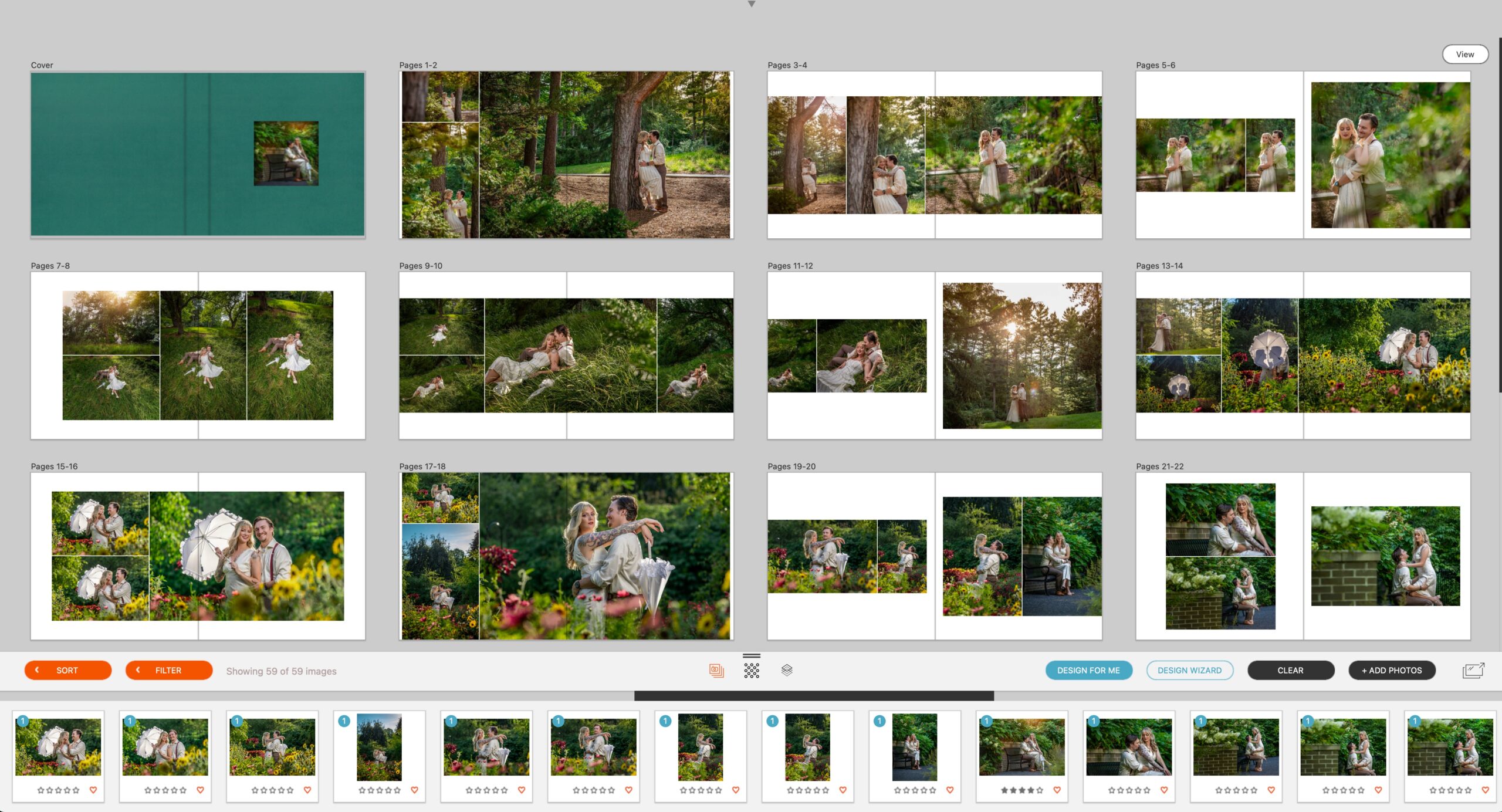
Swap Materials, Filter Options, and Stay Organized
Once your cover is designed, you can:
-
Swap out any cover material with a single click
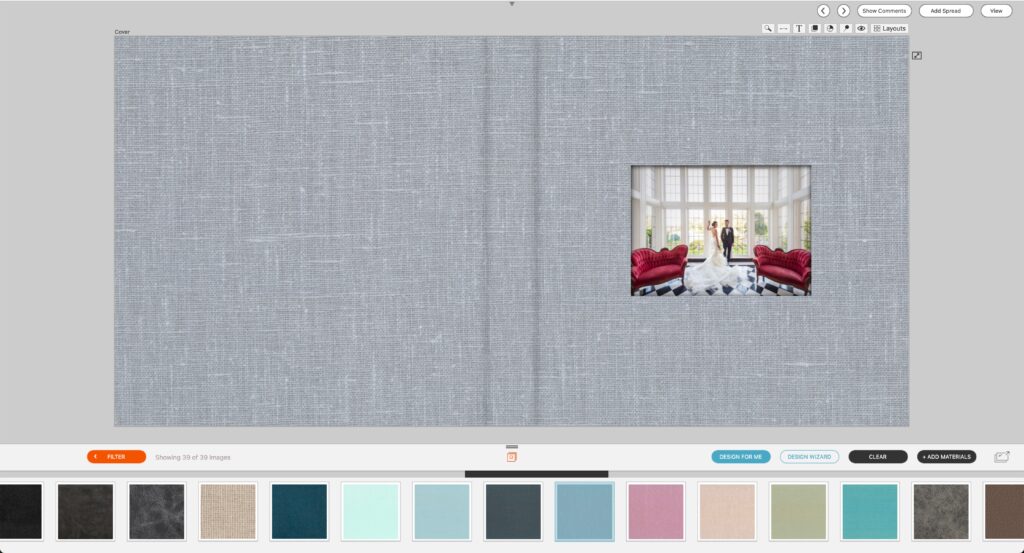
-
Filter your materials by type, album company, or style
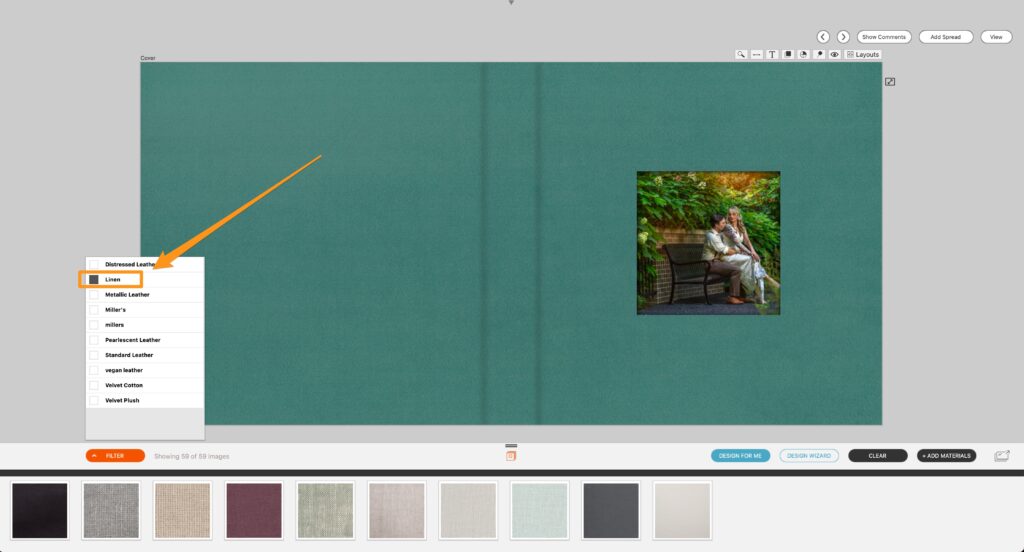
-
Tag covers to keep your library organized and easy to navigate. Just right-click on the cover materials to add your tag.
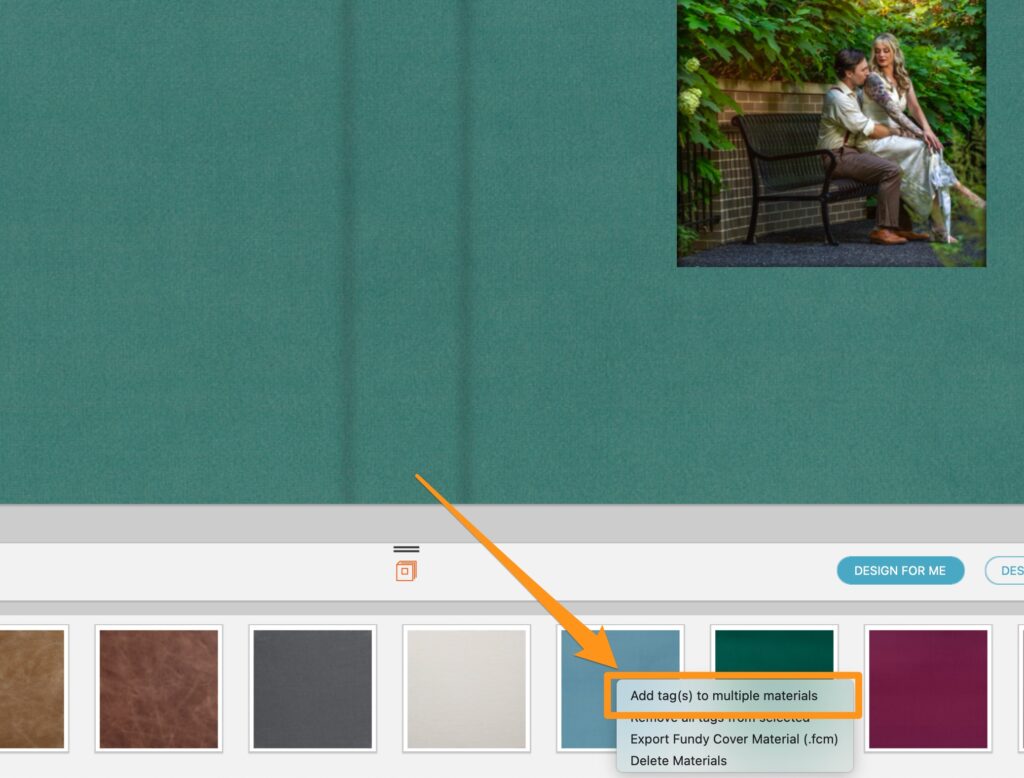
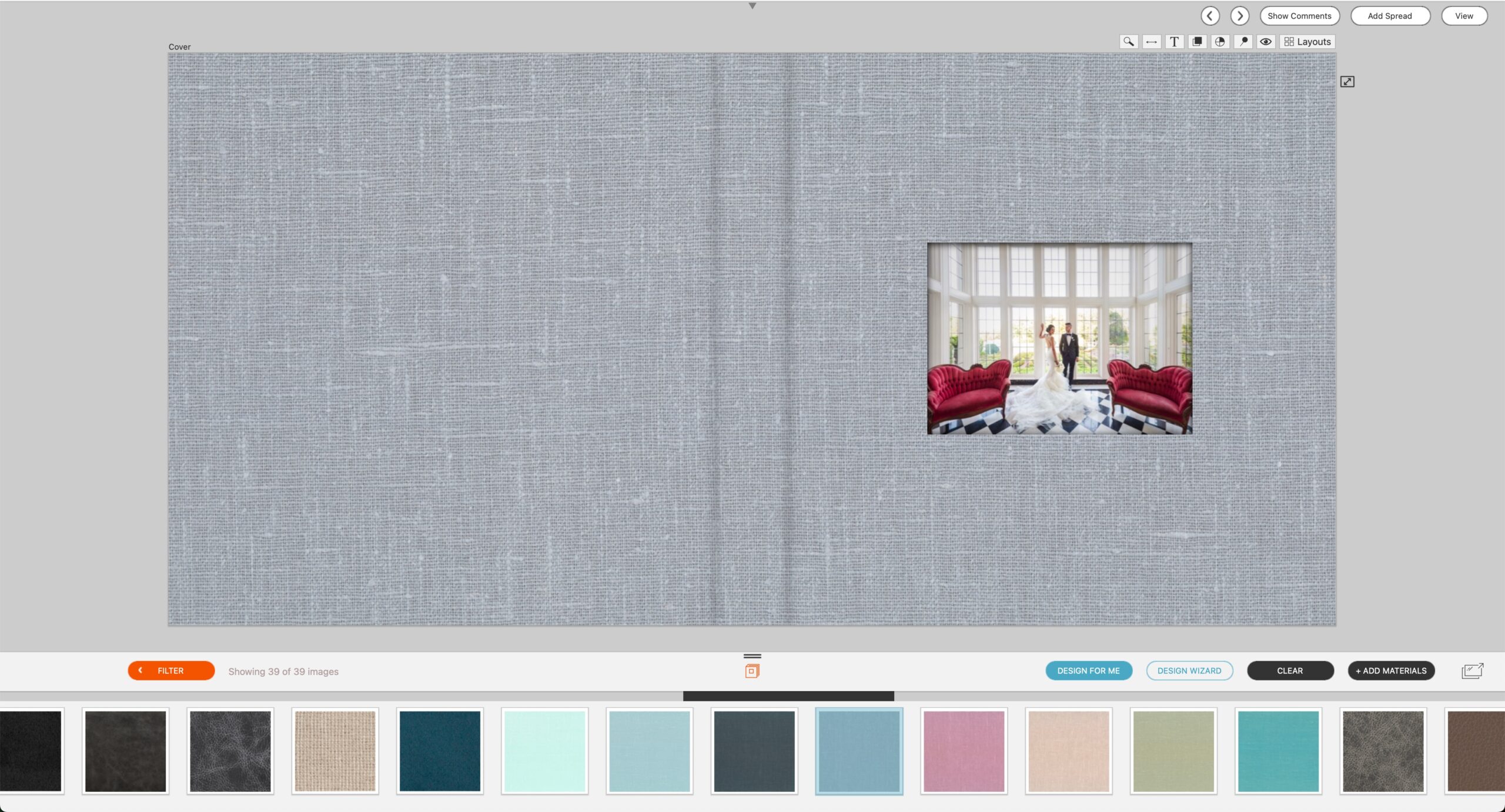
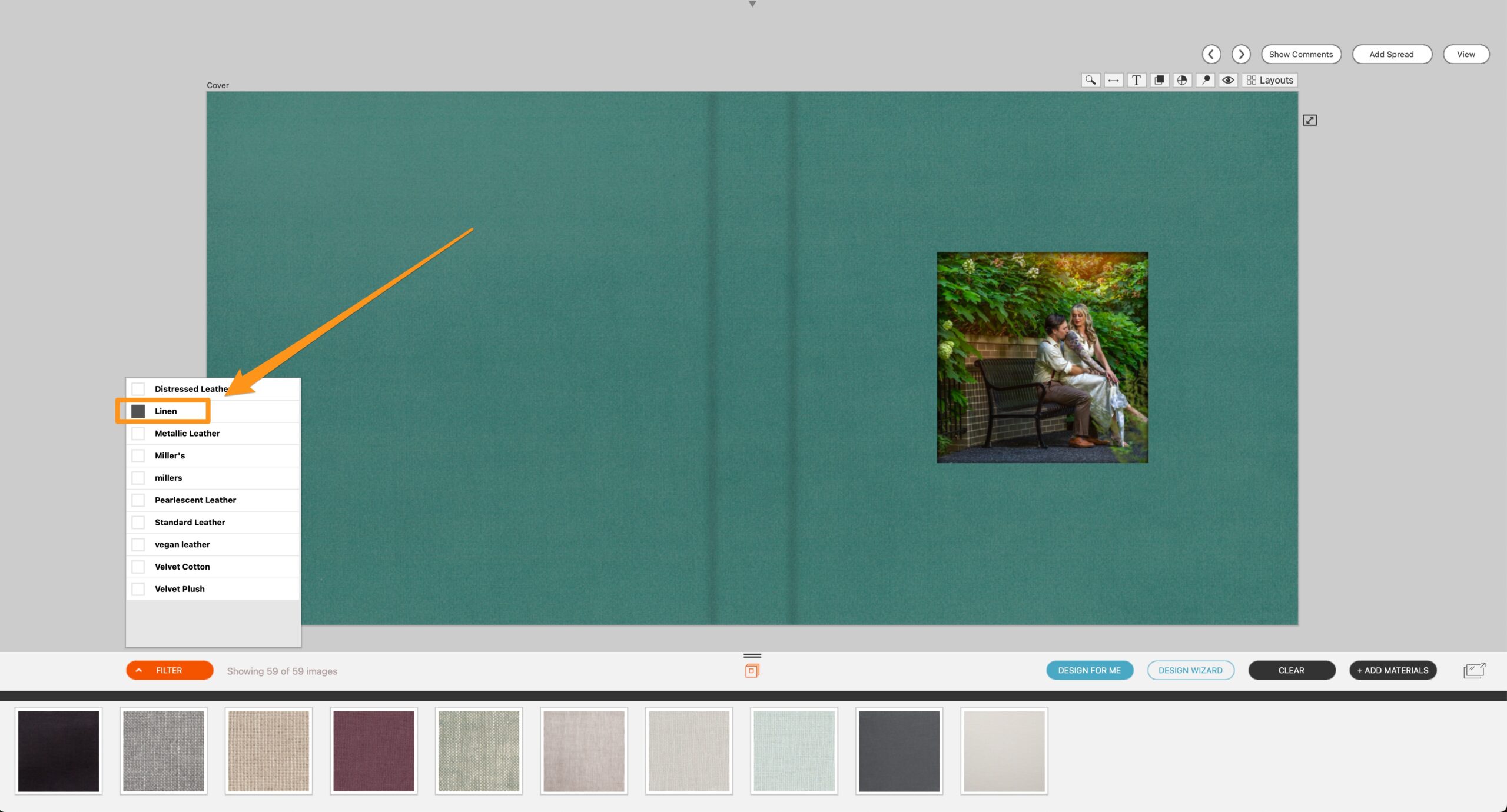
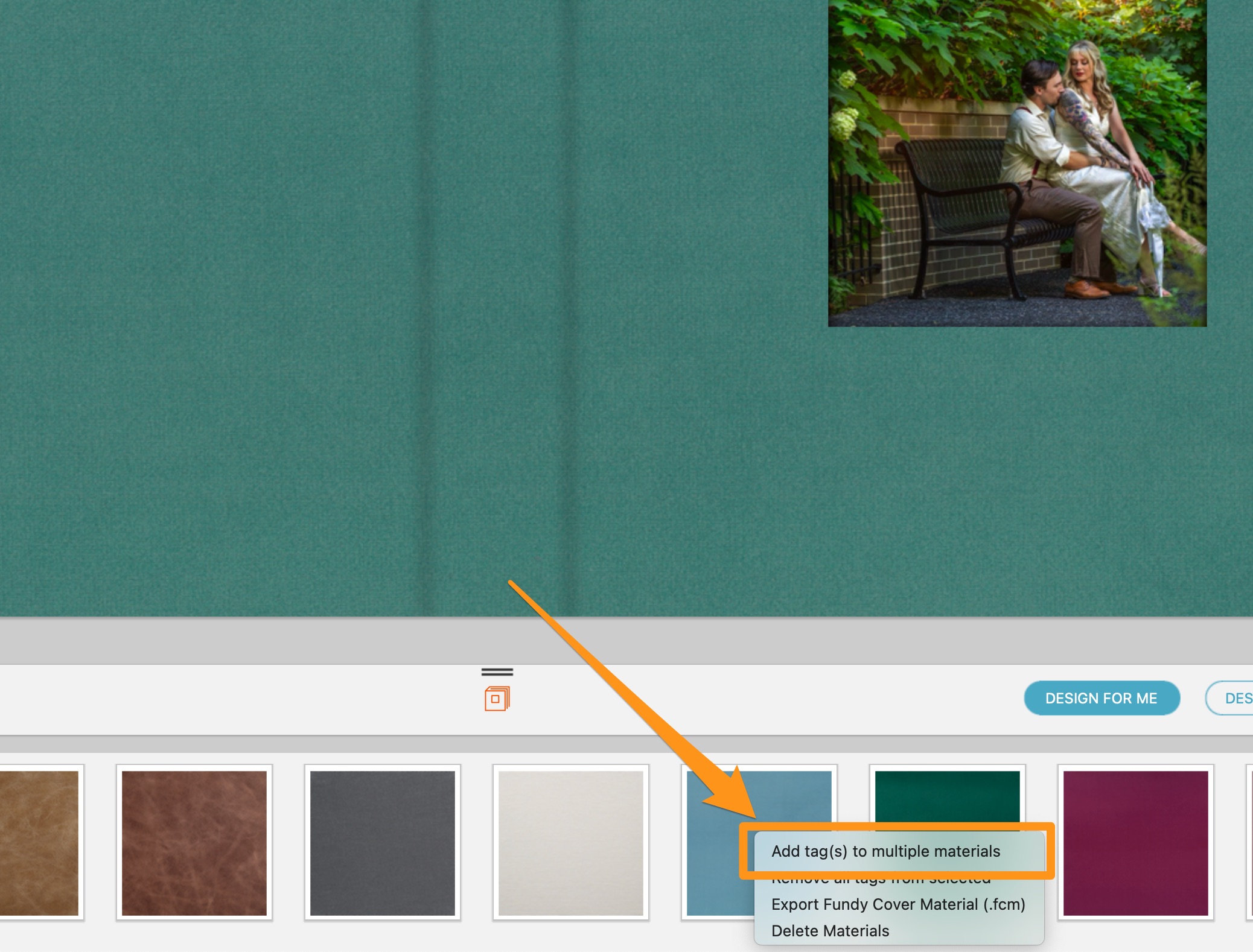
It’s an easy way to audition different looks with your client and keep track of materials from every album company you work with.
Import Cover Materials From Your Favorite Labs
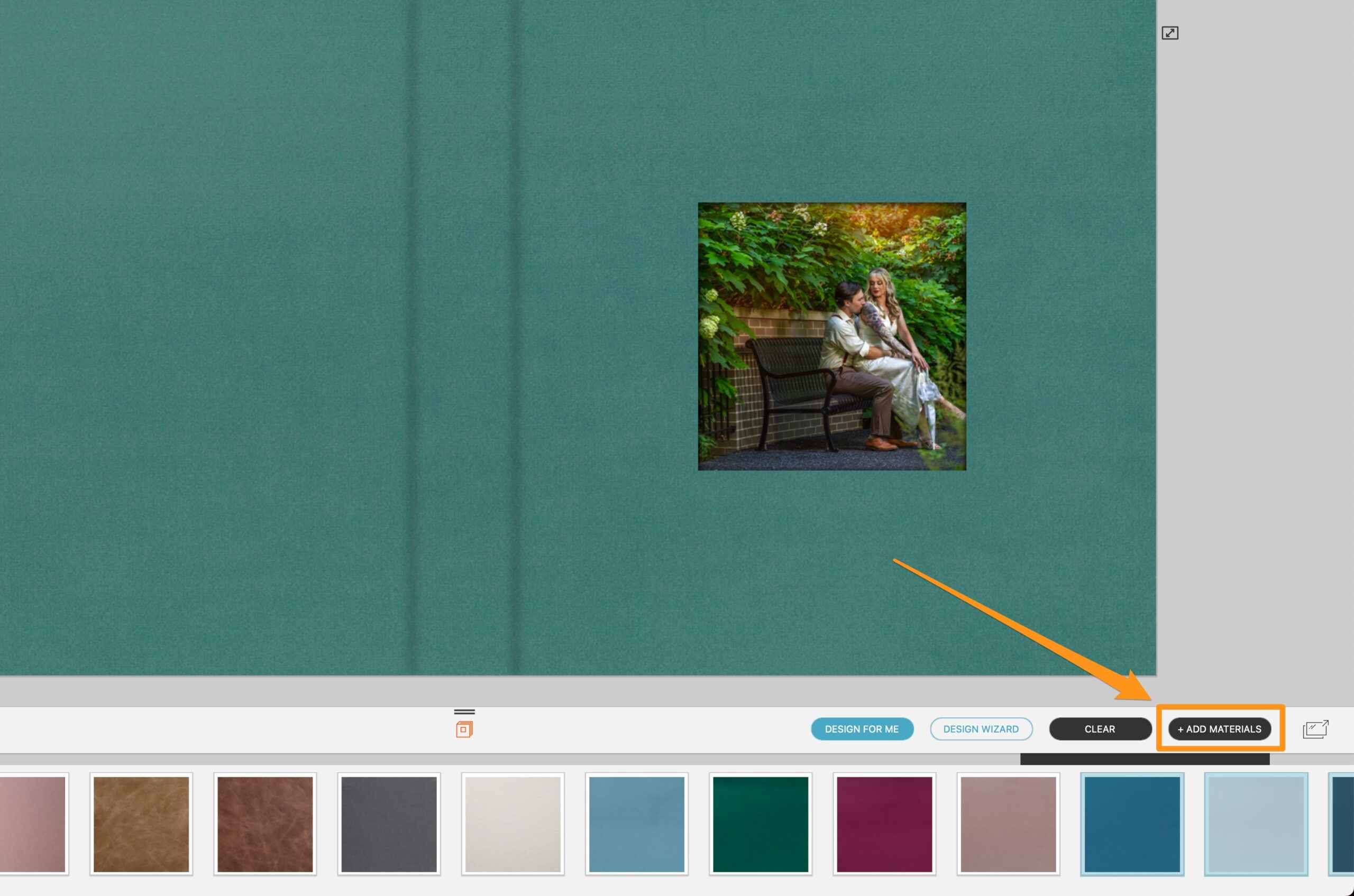
If your lab isn’t included yet, you can import its materials straight into Fundy Designer. Ask your album company for digital swatches at least 1500 pixels wide, import the files, and they’ll appear alongside your other materials. Linen, leather, vegan materials and custom textiles all work, as long as the swatch is high quality.
Sell the cover, not just the album
Whether you design on the desktop or in the cloud, Fundy Designer lets you show clients a cover they can picture in their hands, in the materials your lab actually offers. That makes the conversation about upgrades easier and the final order more accurate.
Ready to design your next cover? Start a free trial or subscribe to get the latest cover tools on the desktop, or try Fundy Cloud at app.fundy.com.
Download Materials From Leading Album Companies
A growing list of album companies offer swatches you can download and use right away, including Graphistudio, QT Albums, Digitalab, Blacksmith Print Co., nPhoto, McKenna Pro, Renaissance Albums and Dekora Album Co.
These swatches work in both apps. Import them into the desktop app, or upload them to My swatches in Fundy Designer Cloud.
For more in depth guides, please see our manuals: